What Is a Dead Man's Switch? A Complete Guide to Digital Estate Planning
A deadman switch triggers automatically when you stop checking in—no lawyers, no probate, no delays. Learn how digital deadman switches work, who uses them, and how to set one up for your own digital estate planning.
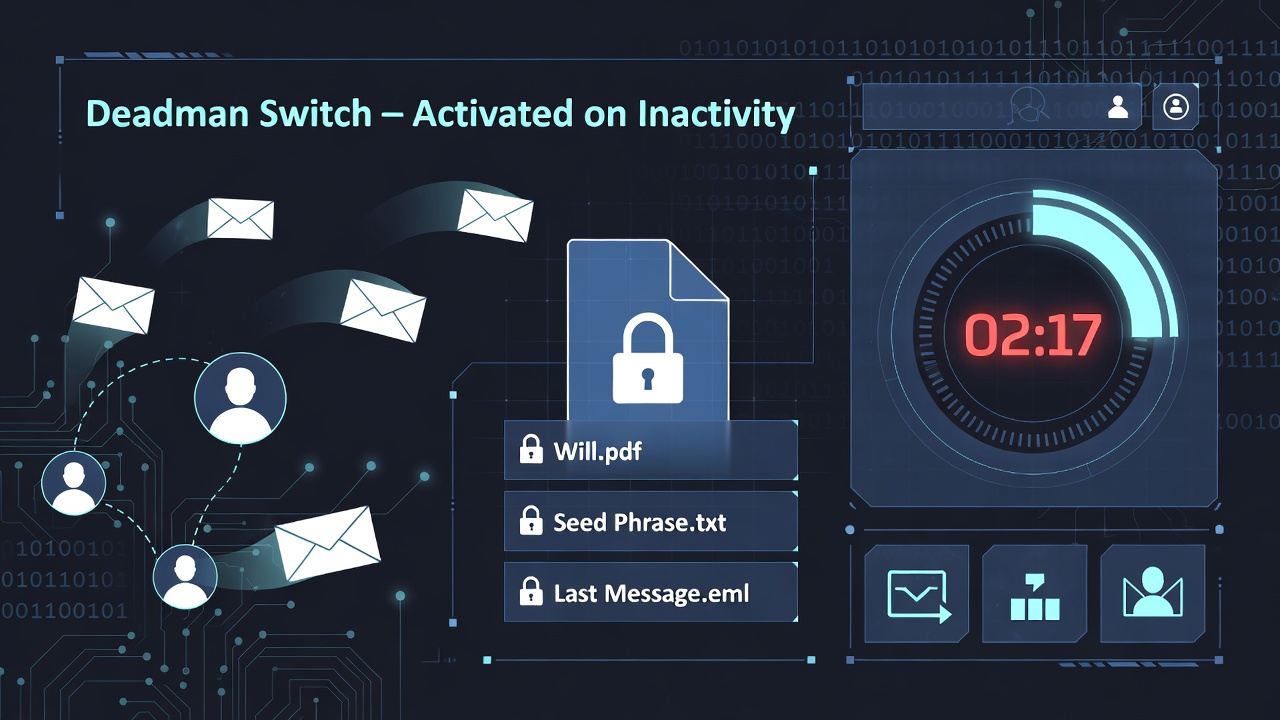
A dead man's switch is an automated system that triggers a specific action when it stops receiving regular confirmation that you're alive and active. You'll see the phrase written three ways online — "dead man's switch," "dead man switch," and the one-word "deadman switch" — but they all describe the same idea: a digital safety net that releases your important documents, messages, or instructions to designated recipients if you stop checking in. Originally designed as safety mechanisms for trains and heavy machinery, these switches have evolved into essential tools for digital estate planning, journalism, and privacy protection.
In the digital context, a dead man's switch monitors your activity through scheduled check-ins. If you miss a check-in — whether due to incapacitation, death, or simply going off-grid — the switch automatically executes predetermined actions like sending emails, releasing documents, or transferring encrypted files to designated recipients.
How Does a Digital Deadman Switch Work?
The mechanics are straightforward:
-
Setup: You configure the switch with your check-in schedule (daily, weekly, monthly) and specify what happens if you miss one.
-
Check-ins: The system sends you reminders via email or SMS. You confirm you're active by clicking a link, logging in, or responding.
-
Grace period: If you miss a check-in, most systems give you extra time with escalating reminders before triggering.
-
Trigger: After the grace period expires without response, the switch executes your instructions — sending files, emails, or access credentials to your designated recipients.
The key difference from traditional estate planning is automation. No lawyer, probate court, or death certificate required. The switch activates based purely on your inactivity.
How a Dead Man's Switch Email Works
The most common form of dead man's switch is an email-based one: if you stop checking in, a pre-written email (often with attachments) sends itself to people you've designated. The simplest DIY version is a draft saved in your inbox with instructions for a friend, but it falls apart the moment your friend forgets, moves, or is unreachable.
A modern dead man's switch email service automates the whole loop:
- The check-in lives at the service. You confirm you're alive by clicking a reminder link or logging in — no one else has to remember anything for you.
- Recipients are notified automatically. When the switch fires, each beneficiary receives an email with a secure link to the documents you assigned to them.
- The attachments stay encrypted. With a well-built service, the documents are encrypted at rest the moment they're stored, so an attacker who breaches the database gets only ciphertext.
- You can revoke before delivery. Grace periods and multi-channel reminders (email + SMS) give you a window to cancel an accidental trigger.
Email is the right delivery channel because every adult already has one, no app install is required on the recipient's side, and the link can be opened on any device.
Don't want to build one yourself? Killswitch is a ready-made dead man's switch — encrypt your documents, letters, and videos, and we deliver them to the people you choose if you stop checking in. Start a free 7-day trial →
Who Uses Deadman Switches?
Families and individuals use deadman switches to ensure loved ones can access critical documents — wills, insurance policies, account credentials, property records — without navigating months of legal delays. When something happens to you, your spouse or children automatically receive what they need.
Business owners configure deadman switches to transfer operational knowledge to partners or successors. Critical contracts, vendor relationships, access credentials, and institutional knowledge can transfer automatically rather than dying with the founder.
Journalists protecting sensitive sources use deadman switches as insurance. If a journalist is silenced, imprisoned, or killed, their research and source materials automatically release to editors or legal counsel. This protection mechanism has become increasingly common among investigative reporters working on dangerous stories.
Whistleblowers use deadman switches to ensure evidence reaches the public even if they're unable to release it themselves. The switch acts as a dead hand — if something happens to the whistleblower, the information automatically transfers to journalists, lawyers, or oversight organizations.
Cryptocurrency holders face a unique problem: digital assets secured by private keys can become permanently inaccessible if the holder dies without sharing those keys. A deadman switch can automatically transfer seed phrases or wallet access to heirs without exposing them during the holder's lifetime — see how to pass crypto to your family when you die for a deeper walkthrough.
Privacy-conscious individuals use deadman switches simply because they don't trust cloud storage providers. Encrypted deadman switches store files with encryption at rest, so a breach of the storage alone exposes nothing readable.
Deadman Switch vs. Traditional Estate Planning
Traditional estate planning relies on legal documents, courts, and human executors. A will must be validated through probate — a process that can take months and cost thousands in legal fees. Digital assets complicate matters further since many services have no clear process for transferring account access to heirs.
A deadman switch bypasses this entirely:
| Traditional Estate Planning | Deadman Switch |
|---|---|
| Requires death certificate | Triggers on inactivity |
| Probate can take 6-18 months | Triggers in days or weeks |
| Requires lawyer involvement | Fully automated |
| Beneficiaries must know assets exist | Files delivered directly |
| Digital assets often overlooked | Built for digital assets |
The two approaches aren't mutually exclusive. Many people use deadman switches to handle immediate digital needs while traditional estate documents handle physical assets and long-term legal matters.
What Can You Store in a Deadman Switch?
Most deadman switch services support any file type:
- Legal documents: Wills, trusts, power of attorney, insurance policies
- Financial information: Account credentials, investment details, cryptocurrency keys
- Personal messages: Letters to loved ones, final wishes, explanations
- Business assets: Contracts, vendor contacts, operational procedures
- Evidence: Documents, recordings, or files intended for release
- Instructions: How to access accounts, what to do with specific assets, who to contact
The best services encrypt these files at rest the moment they're stored, ensuring that a breach of the service's database alone exposes only ciphertext.
Security Considerations
Not all deadman switches are created equal. Key security features to evaluate:
Encryption at rest means files are encrypted (with a standard like AES-256) the moment they're stored. The service holds the keys — which is what makes features like password reset, search, and previews possible — but a breach of the database alone yields only ciphertext an attacker cannot read. For the reasoning behind this model versus client-side encryption, see why Killswitch left zero-knowledge.
Encryption in transit (TLS) ensures files remain protected while moving between your device, the service, and your beneficiaries.
Recovery model matters more than most people realize. Services that derive encryption keys from your password on your device can never reset that password — forget it and lose your recovery codes, and your data is gone forever, possibly right when your family needs it. Services that hold keys server-side can offer normal password reset; the tradeoff is that you're trusting the provider's security controls. Know which model your service uses and what it means for you and your beneficiaries.
Dead Man's Switch Apps vs. DIY Scripts
If you search around, you'll find two flavors of dead man's switch: dedicated apps and DIY scripts (typically a cron job on a server you control that emails a pre-written message if you don't run a heartbeat command in N days).
The DIY route is appealing if you're technical, but it has three failure modes most people underestimate:
- The server outlives the maintainer's attention. A VPS that auto-renews on a credit card you stop checking is a switch waiting to misfire — or to be silently shut off when the card expires.
- The email isn't encrypted, and the recipient list is plaintext on a box you no longer control. Anyone with shell access can read the payload long before it fires.
- There's no second channel. If your heartbeat email goes to spam for two cycles, the switch fires when you didn't mean it to, and you have no SMS fallback to catch it.
A dead man's switch app should do better on each of these:
- Run the check-in loop for you on infrastructure you don't have to maintain.
- Encrypt the payload at rest so a breach of the service's storage exposes only ciphertext.
- Use multi-channel reminders (email + SMS at minimum) with configurable grace periods before anything triggers.
- Give recipients a passwordless, link-based download path so they don't need a technical setup on their end.
- Stay alive financially. A free side-project switch that disappears in two years takes your plan with it; look for a paid service with a sustainable model.
If you don't enjoy running infrastructure, an app is almost always the right answer. If you do, a script can work — but treat it like production: monitoring, redundancy, and a documented handoff to someone who'll notice if it dies.
Choosing a Deadman Switch Service
When evaluating services, consider:
Reliability: The service must outlast you. Look for established companies with sustainable business models. A free service that disappears takes your deadman switch with it.
Encryption architecture: Verify the service encrypts data at rest and in transit, and is explicit and honest about its security model — who holds the keys, and what a breach would actually expose.
Check-in flexibility: Can you customize check-in schedules? Weekly might work for some; monthly or quarterly for others. Rigid schedules lead to accidental triggers.
Beneficiary experience: Recipients shouldn't need technical knowledge or their own account. The best services send secure download links that work with a simple click.
Grace periods: Accidental triggers happen. Look for services with configurable grace periods and multiple reminder channels (email and SMS).
File support: Ensure the service handles your file types and sizes. Some services limit uploads to specific formats or small file sizes.
How Killswitch Compares to the Alternatives
Most digital-estate options people already know about cover only a slice of the problem. Side-by-side comparisons:
- Google Inactive Account Manager vs Killswitch — what Google's built-in tool covers and what it leaves behind.
- Apple Digital Legacy vs Killswitch — why an Apple legacy contact isn't a substitute for a full digital estate plan.
- Killswitch vs Cipherwill — two dead man's switch services compared on encryption, pricing, and delivery.
- LastPass vs Killswitch — why password managers don't solve the inheritance problem.
- NokBox vs Killswitch — physical lockboxes vs. an encrypted digital plan.
Frequently Asked Questions
How does a dead man's switch email work?
You schedule regular check-ins with the service (daily, weekly, or monthly). Each check-in is a single click on a reminder link. If you miss the check-in and the grace period expires, the service sends a pre-configured email to each of your designated recipients, usually containing a secure download link to documents you've encrypted in advance. The email itself goes out automatically — no human has to remember to send it.
Is there a dead man's switch app?
Yes. A dead man's switch app handles the check-in loop, encrypted storage, and beneficiary delivery for you, so you don't have to run your own server. Look for one with encryption at rest and in transit, multi-channel reminders (email + SMS), configurable grace periods, and a sustainable paid business model — a free app that disappears takes your switch with it.
What if I accidentally trigger the switch?
Reputable services include grace periods with escalating reminders across multiple channels. You'll receive emails and texts warning that your check-in is overdue before anything triggers. Most also let you revoke sent files if a trigger was accidental.
Can the service read my files?
It depends on the service's architecture, so ask. Some services encrypt client-side and never hold the keys; others — including Killswitch — encrypt all content and metadata at rest with AES-256 and manage the keys server-side, which is what makes password reset, search, and previews possible and means a database breach alone exposes only ciphertext. What matters most is that the service is transparent about which model it uses. Killswitch explains its approach — and why it moved away from zero-knowledge — in Leaving zero-knowledge.
Is this legal?
Deadman switch services are legal file storage and transfer tools. However, you're responsible for ensuring your use complies with local laws regarding digital estate planning, data transfer, and any industry-specific regulations.
What happens to my data if I cancel?
Policies vary. Some services retain encrypted data but disable the deadman switch functionality. Others delete everything. Review the terms before committing.
Can beneficiaries be notified early?
Most services keep beneficiary information confidential until trigger. Some allow you to notify beneficiaries that they're designated recipients without revealing what files they'll receive.
Setting Up Your First Deadman Switch
The process typically takes under ten minutes:
-
Create an account with a strong, unique password. Store your recovery codes somewhere safe and separate from the service.
-
Upload your documents or create secure notes with important information. Organize with folders or tags if the service supports them.
-
Add beneficiaries by email address. Assign specific files to specific people — your spouse might need different documents than your business partner.
-
Configure your check-in schedule based on your lifestyle. Frequent travelers might want longer intervals; those with regular routines might prefer weekly.
-
Test the system using any available test mode. Verify that emails send correctly and beneficiaries can access test files.
-
Set calendar reminders for yourself to review and update stored documents periodically. Life changes; your deadman switch should too.
The Future of Digital Estate Planning
As more of our lives move online, the gap between digital assets and traditional estate planning widens. Password managers, cryptocurrency, cloud storage, social media accounts, subscription services — none of these fit cleanly into traditional inheritance frameworks.
Deadman switches represent one solution to this problem: automated systems that handle digital assets based on inactivity rather than legal processes. They're not a replacement for traditional estate planning, but an essential complement for anyone with significant digital assets or privacy concerns.
The technology will continue evolving. Integration with password managers, support for more complex conditional triggers, and broader recognition in legal frameworks are all likely developments. For now, deadman switches offer a practical solution to a real problem: ensuring your digital life doesn't become inaccessible when you can't manage it yourself.
Looking for an encrypted deadman switch? Killswitch stores your documents encrypted at rest and in transit, and delivers them automatically to the people you choose. Start a free 7-day trial →