Updating Your Digital Estate Plan After Divorce: What to Change and When
Your divorce decree updates the big stuff. But hundreds of digital accounts still list your ex as beneficiary, trusted contact, or admin. Here's what to change, in what order, and how to make sure nothing gets missed.
The Plan That Outlives the Marriage
Divorce is already administratively exhausting. By the time the decree is signed, most people have had enough of updating forms, filing paperwork, and signing documents. The last thing you want to do is another round of administrative work.
But there's one area that almost always gets missed, and it's the one with the highest long-term consequences: your digital estate plan.
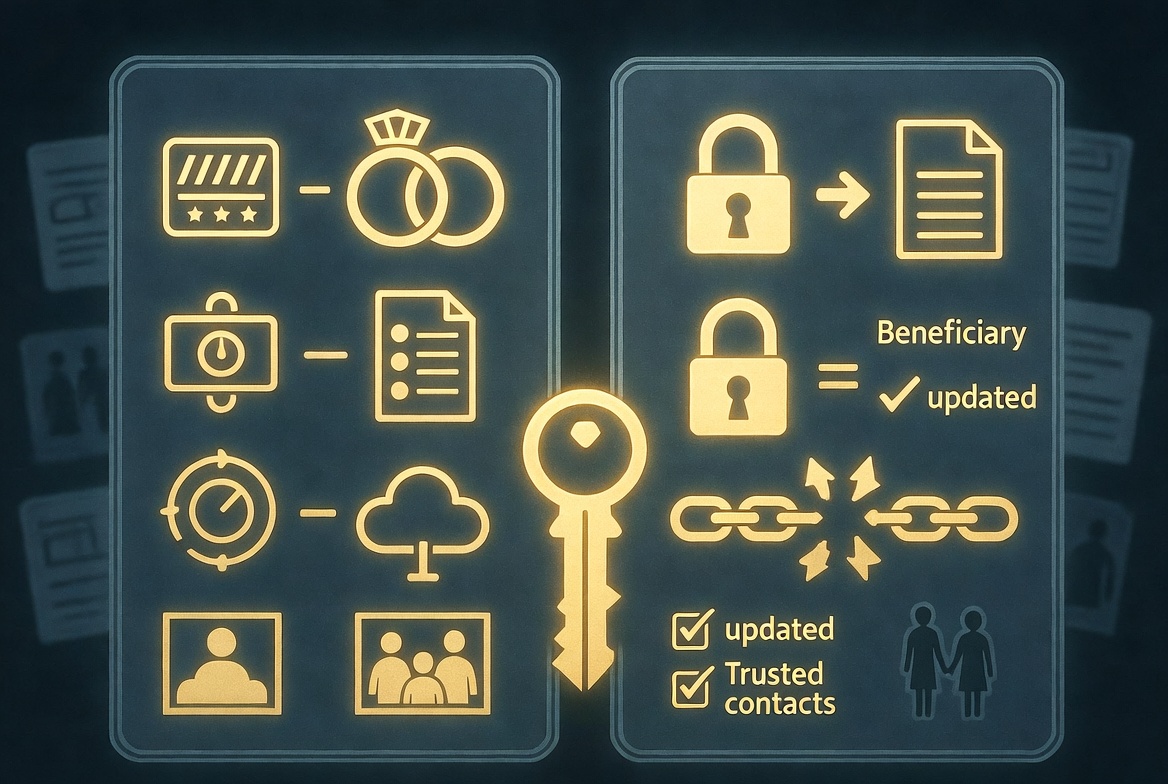
If you built any kind of digital estate plan during your marriage — a password manager with emergency access, a deadman switch, beneficiary designations on online accounts, shared household subscriptions, joint cloud storage — every single element of that plan still references your former spouse unless you explicitly change it.
And unlike legal documents that courts can clean up, digital designations don't update automatically. Years after your divorce is finalized, if something happens to you, a system you set up could still send your most sensitive documents, photos, and account credentials directly to your ex.
This post is the practical, non-judgmental guide to updating your digital estate plan after divorce. No emotional editorializing. Just what to change, in what order, and why.
Why This Matters More Than You'd Think
The typical assumption is: "When the divorce is final, everything is separate. I have my own accounts. They have theirs. We're done."
Reality is more complicated. Consider what a typical married couple has accumulated by the time they divorce:
- Joint email accounts or shared access to each other's inboxes
- Password managers with emergency access granted to the spouse
- Shared Netflix, Spotify, Amazon, and cloud storage subscriptions
- Joint iCloud or Google accounts on shared devices
- Beneficiary designations on 401(k)s, life insurance, and retirement accounts
- Trusted contacts on banking and financial accounts
- Shared deadman switch configurations (if they had one)
- Joint smart home admin access
- Kids' accounts (school portals, game accounts, medical records) with both parents as admin
- Shared memberships, subscriptions, and loyalty accounts
- Venmo/PayPal/Zelle contact lists
- Cloud photo archives with shared access
- Joint social media accounts (for travel, hobbies, or business)
Any one of these can remain unchanged for years after divorce. Most of them can cause real problems — financial, emotional, or legal — if left unaddressed.
The Core Principle: Audit, Don't Guess
The most common mistake people make after divorce is assuming they know what their digital estate looks like. After a decade of marriage, you almost certainly don't.
Accounts you forgot existed. Shared logins you set up at a restaurant once. Subscription trials that became permanent. Old apps with lingering permissions. Devices your ex still has paired with.
The right starting point is an audit — a systematic sweep of every digital touchpoint between you and your ex. This takes a few hours once, then annual maintenance.
The Priority Order: What to Update First
Not everything needs to change on day one. Here's a risk-prioritized order:
Priority 1: Financial and Legal Beneficiaries (Week 1)
These have the largest potential downside and typically require formal action, so they should be addressed immediately.
401(k), IRA, and retirement accounts: These use their own beneficiary forms that override your will. Even if your divorce decree says your ex gets nothing, if the beneficiary form at Fidelity still names them, they may be entitled to the assets. Multiple legal cases have upheld outdated beneficiary forms against divorce decrees. Update the form at the custodian, not just the will.
Life insurance policies: Same principle. The insurance company pays whoever is named on the policy, not whoever your will says should receive it. Call or portal your way to updated beneficiary designations.
Banking and investment account beneficiaries (TOD/POD): Transfer-on-death and payable-on-death designations on bank and brokerage accounts bypass probate and go directly to the named beneficiary. Check every account.
HSA and FSA beneficiaries: Often overlooked. Update through your employer or health insurance portal.
Priority 2: Password Manager Emergency Access (Week 1)
If you've been using LastPass, 1Password, or Bitwarden, your ex likely has emergency access to your password vault. This means they could — within the waiting period you configured — gain access to every password you've stored.
Most password managers make this easy to revoke:
- 1Password: Settings → Family → remove family member access
- LastPass: Account Settings → Emergency Access → revoke access
- Bitwarden: Settings → Emergency Access → revoke access
If you've shared a vault rather than granted emergency access, move your personal passwords to a new vault and reset the password on any account where the shared vault contained credentials.
Priority 3: Deadman Switch and Digital Estate Beneficiaries (Week 1)
If you set up any kind of automated document delivery system — Killswitch, Google Inactive Account Manager, Apple Digital Legacy, Facebook Legacy Contact — update the recipient immediately.
Without this update, years after your divorce, if something happens to you, your most sensitive documents could deliver directly to your ex. This is not hypothetical. People don't update these, they die, and the system runs exactly as originally configured.
For Killswitch users: Remove your ex as a beneficiary, or if they still have a legitimate reason to receive certain documents (e.g., documents related to your shared children), create new switches with only those specific documents and different check-in schedules.
For Google Inactive Account Manager: Log in and review your trusted contacts list.
For Apple Digital Legacy: Go to Settings → Apple Account → Sign-In & Security → Legacy Contact and remove or update.
Priority 4: Password Changes on Shared Accounts (Weeks 1–2)
Any account your ex had the login to needs a new password. The common categories:
- Primary email accounts (especially if they knew the password for recovery purposes)
- Banking and financial accounts
- Social media accounts
- Cloud storage (iCloud, Google Drive, Dropbox)
- Photo storage services
- Streaming services you plan to keep
- Any shared work or professional accounts
Don't just change passwords — also update:
- Recovery email addresses (if their email was listed as a backup)
- Recovery phone numbers
- Security questions (especially ones with answers they'd know, like "where did we honeymoon")
Priority 5: Shared Subscriptions and Services (Weeks 2–3)
Decide who keeps what and untangle the billing:
- Netflix, Hulu, Disney+, etc.: Change passwords and remove their profile, or cancel and start fresh
- Amazon Prime: If it was on your credit card, remove them from Household
- Spotify/Apple Music family plan: Remove them and have them start their own account
- Costco or Sam's Club memberships: Decide who keeps it and remove the other
- Gym memberships: Cancel or transfer
- Cloud storage family plans: Split into separate accounts
This takes time but matters financially. A typical couple has $150+/month in shared subscriptions that, if not untangled, either continues charging or abruptly canceling when one person's card stops working.
Priority 6: Device and Account Permissions (Weeks 3–4)
Your ex may still have paired devices, admin access, or lingering permissions on:
- Your Apple ID (Find My, Family Sharing)
- Your Google account (linked devices)
- Smart home systems (HomeKit, Google Home, Alexa)
- Security systems (Ring, SimpliSafe)
- Connected cars
- Medical device apps (if they were your healthcare proxy)
Review each system's device/user list and remove stale entries.
Priority 7: Kids' Accounts (Ongoing)
This one requires nuance because, in most cases, both parents should still have access to children's accounts post-divorce. But the structure changes:
- Minor children's accounts: Both parents typically retain access. Review parental controls and admin settings.
- School and educational portals: Update parent contact info, confirm both parents are listed
- Medical portals for children: Both parents may retain access by law (varies by state and custody arrangement)
- Emergency contact lists: Update all activities, schools, and programs
This is often where disputes arise. The right move is usually to maintain the status quo for the kids' benefit while updating only what's necessary legally.
What Your Ex Might Still Have Access To
This is a useful exercise to run, both to identify what needs updating and to understand your ex's potential exposure to your data.
Your ex might still have access to:
Things they might actively use:
- Shared streaming accounts (they're still watching Netflix)
- Shared cloud storage (they can still see your files)
- Shared photo libraries (they can still browse photos)
- Family plan subscriptions (they're still on the plan)
Things they wouldn't necessarily think about but could access:
- Recovery email designations (password reset codes flow to them)
- Emergency access on your password manager (waiting period access)
- Beneficiary designations on accounts (claims on your death)
- Apple Digital Legacy / Google Inactive Account Manager (post-death access)
- Find My device permissions (location tracking)
- Shared notes, reminders, calendars
- Venmo/PayPal payment histories
Things they probably don't know about but have technical access to:
- Old devices paired to your accounts
- Authentication tokens in old browser sessions
- Stored credentials in their own browsers
- Linked social media accounts (Instagram-Facebook cross-posting)
Most ex-spouses don't maliciously exploit these. Some do. The question isn't trust — it's hygiene. You'd want the same audit after any major relationship change, not just divorce.
The Video Message Problem
Here's a specific one that trips people up.
If you recorded video messages for your spouse as part of estate planning — messages to be delivered after your death — those still exist in your deadman switch or wherever you stored them. They may have been deeply personal. They may reference the marriage you're now ending. They may now be inappropriate or unwanted.
You have a few options:
Delete them: Clean slate. Most people find this emotionally easier over time than leaving them in place.
Repurpose them: If they were messages to shared children, they may still be valuable even though the marriage ended.
Leave them but change recipient: The content was created for your ex, but maybe the right recipient now is a different person (a sibling, a close friend, a child).
Whatever you decide, don't leave this unresolved. Years later, having a video message to an ex-spouse automatically deliver after your death is a complication nobody wants.
If You're Co-Parenting: The Special Case
Divorce with children requires a different kind of digital estate planning — one that maintains appropriate access for the other parent while protecting your own independent digital life.
What Should Stay Shared
- Children's school portals and activity accounts
- Medical records and pediatrician portals for the children
- Shared calendars for parenting coordination
- Emergency contact information at schools, camps, doctors
- Children's financial accounts (529 plans, UTMA, etc.)
What Should Be Separated
- Your personal email, password manager, and deadman switch
- Your individual financial accounts
- Your social media
- Your cloud photo storage (separate from shared family photos)
- Subscriptions tied to your individual use
What Needs Special Thought
- Family photo archives — consider splitting into "shared" (kids' milestones both parents would want) and "individual" (photos you took and own)
- Children's inheritance planning — both parents should have updated plans that reflect the new family structure
- Digital guardianship in case both parents die — the surviving partner or grandparent may need access to both parents' documents, coordinated carefully
The principle here: your digital life becomes more separated, but the children's digital life stays coordinated. Tools like Killswitch let you configure multiple deadman switches with different beneficiaries — one switch handles your own documents going to your executor, while another (with different files) handles the kids' documents going to the co-parent.
The Post-Divorce Digital Estate Template
Here's what a cleanly separated digital estate plan looks like post-divorce:
Your primary deadman switch: Delivers your documents, passwords, and instructions to your executor or a trusted family member (not your ex).
Your children's document switch (if applicable): Delivers shared information like pediatrician contacts, school portals, and children's account access to your co-parent.
Your financial beneficiary designations: Updated across all accounts. Children named as direct beneficiaries or routed through a trust, per your divorce decree and estate attorney's advice.
Your password manager emergency access: Granted to a sibling, parent, or close friend — not your ex.
Your social media legacy contacts: Updated. Facebook, Instagram, Apple, Google all have this setting somewhere.
Your will: Updated to reflect post-divorce beneficiary structure. Digital assets explicitly addressed.
A clear written note in your vault explaining the new family structure to whoever ends up executing your wishes.
The One-Afternoon Post-Divorce Audit
If your divorce has been final for months (or years) and you've never done this, here's a four-hour plan:
Hour 1: Beneficiary updates. Every retirement account, every life insurance policy, every TOD/POD bank designation. Call or portal.
Hour 2: Password vault audit. Every account in your password manager. Check which ones have "your shared email" or "your ex's phone" as recovery methods. Update them.
Hour 3: Deadman switch and digital legacy updates. Every service that automatically delivers data after inactivity or death. New beneficiaries. New schedules. New instructions.
Hour 4: Subscription and permission sweep. Netflix, Spotify, Amazon, iCloud, Google — everywhere you and your ex had shared access. Clean up what's lingering.
That's it. One afternoon. You're current.
Why People Don't Do This
Honest answer: because it's emotional labor masquerading as administrative work.
Every form you update is a reminder. Every beneficiary change is a small acknowledgment that a relationship ended. For many people, the easiest path is to put it off indefinitely — to tell themselves they'll get to it eventually.
The problem is that "eventually" rarely comes. And while you're putting it off, the system you built for your marriage is quietly still configured to behave as if the marriage is ongoing.
Doing the audit doesn't erase anything. It doesn't diminish what the marriage was. It just makes sure your digital life matches the reality of your current life — so that if anything ever happens to you, your family and your current priorities are reflected in the outcome.
Related Reading
- Background: what a dead man's switch is and how it works
- Use this as the rebuild checklist: the 25-item digital estate planning checklist
- If you're in a new relationship: how to talk to your spouse about digital estate planning
Killswitch makes post-divorce digital estate updates simple. Reconfigure beneficiaries, swap in new recipients, and set different delivery schedules for different documents. Your plan keeps pace with your life. Get started today