Smart Home and IoT Devices After Death: The New Frontier of Digital Estate Planning
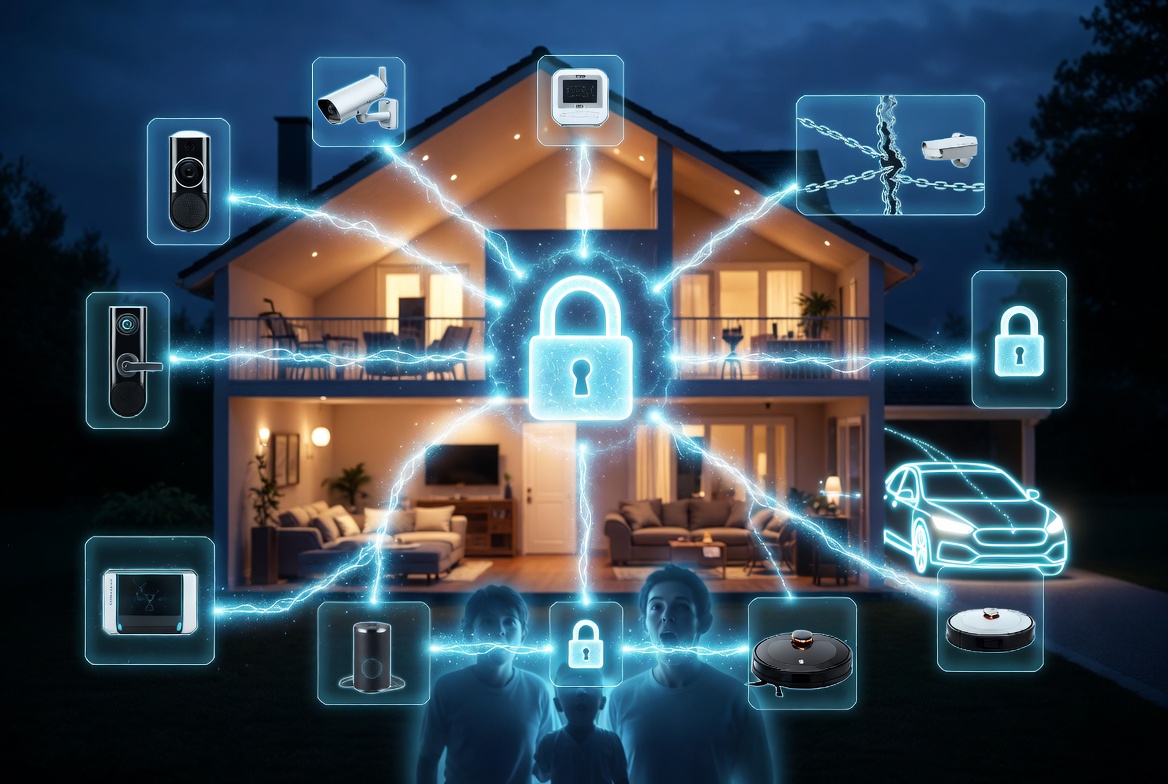
If you died tomorrow, could your family unlock the front door, stop the robot vacuum, or turn off the camera pointed at the living room? The connected home has quietly become one of the most overlooked parts of digital estate planning.
When the House Is Smarter Than the Family Who Inherits It
In 2019, about 18% of U.S. households had at least one smart home device. By 2025, that number crossed 60%. Today, it's normal for a single home to contain a smart doorbell, a smart thermostat, a smart lock, one or more cameras, a smart TV, smart speakers in every room, a robot vacuum, smart plugs, connected appliances, and possibly a connected car in the driveway.
Every one of those devices is tethered to an account. Every one of those accounts requires credentials. And almost none of them are addressed in any traditional estate plan.
When the person who set up the smart home dies, the family inherits a house that sometimes works, sometimes doesn't, and occasionally does things they don't understand why. The door that unlocks from a phone nobody has. The thermostat that keeps setting itself to a stranger's preferred temperature. The camera that pings a deleted email address when motion is detected.
This is the part of digital estate planning that barely existed ten years ago and is quickly becoming one of the most urgent pieces to address. Let's walk through it.
What Gets Left Behind: The Typical Connected Home
Before we get to planning, let's take an honest inventory. Here's what a typical connected home contains in 2026:
Security and access:
- Smart locks (August, Schlage Encode, Level)
- Video doorbells (Ring, Nest Doorbell, Arlo)
- Security cameras (indoor and outdoor)
- Alarm systems (SimpliSafe, ADT, Ring Alarm)
- Garage door openers with app control
Climate and utilities:
- Smart thermostats (Nest, Ecobee, Honeywell)
- Water leak sensors
- Air quality monitors
- Smart smoke detectors (Nest Protect)
Lighting and power:
- Smart bulbs (Philips Hue, LIFX)
- Smart switches and outlets
- Smart plugs for lamps and appliances
Voice and entertainment:
- Smart speakers (Amazon Echo, Google Nest, Apple HomePod)
- Smart displays
- Smart TVs with integrated accounts
- Streaming devices (Roku, Apple TV, Fire TV)
Appliances:
- Smart fridges
- Smart washers and dryers
- Connected ovens and dishwashers
- Robot vacuums (Roomba, Roborock)
Automotive:
- Tesla, Rivian, or other EV accounts
- Traditional car apps (FordPass, Toyota Connected, etc.)
- GPS trackers (AirTags, Tile)
Health and wellness:
- Smart scales
- Smart beds (Sleep Number, Eight Sleep)
- Continuous glucose monitors or other medical IoT
- Fitness trackers and smartwatches
A single household often has 30+ connected devices. That's 30+ accounts, credentials, and access points.
Why Smart Home Inheritance Is Different
Traditional digital assets (bank accounts, email, social media) have relatively mature inheritance processes. Smart home devices do not, for a few specific reasons:
1. Physical Functionality Depends on Digital Access
Your bank account is a digital abstraction. Your smart lock is a physical mechanism you interact with daily. If the app controlling it stops working for your family, they may not be able to enter their own home — or more commonly, may find themselves locked out of a feature they depend on (keyless entry, automated garage door).
2. Devices Often Serve Multiple Users but Have One "Admin"
In most households, one person sets up the smart home ecosystem and adds others as limited users. When the admin dies, the limited users can continue using some features but can't:
- Add new devices
- Remove old devices
- Reset or update existing devices
- Change permissions
- Access billing for subscriptions
The smart home slowly degrades. A device breaks and can't be replaced without admin access. A family member moves out but their permissions can't be revoked. A subscription expires but nobody can renew it.
3. Data Privacy Implications Are Complex
Smart cameras and microphones record constantly. When you die, your cloud-stored recordings don't automatically delete. Who owns the footage? Who can watch it? What about incidental recordings of visitors who didn't consent to you keeping their image after your death?
These questions don't have clean legal answers yet, but they create real emotional and practical issues for families.
4. Devices Are Tied to Ecosystems
Apple HomeKit, Google Home, Amazon Alexa, and SmartThings aren't just apps — they're ecosystems. Losing access to the primary account often means losing the automations, routines, and configurations that made the home function smoothly. Rebuilding from scratch is a months-long project most grieving families won't attempt.
Ecosystem-by-Ecosystem Breakdown
Apple HomeKit / Apple Home
The Admin Structure: Apple Home lets the "Home Owner" invite others as members. Members have access but not admin privileges.
After death:
- If you have a Legacy Contact set up via Apple Digital Legacy, they can access iCloud data but HomeKit transfer is unclear
- Home Hub devices (HomePod, Apple TV) continue working without admin intervention
- Apple Keychain passwords — where most HomeKit device credentials live — are explicitly excluded from Digital Legacy access
What to plan: Make sure another household member is promoted to "Home Owner" before anything happens. This is a one-time setting in the Home app and solves most of the inheritance problem.
Google Home / Nest
The Admin Structure: Google Home uses a primary account with the ability to share access via Google accounts.
After death:
- Google's Inactive Account Manager can notify trusted contacts after 3+ months
- Nest accounts are migrated into Google accounts — credentials are shared
- Shared users can continue using devices but may lose admin capabilities
What to plan: Enable Inactive Account Manager for your Google account. Document the Google password. Share access with a spouse or family member who should have long-term admin.
Amazon Alexa
The Admin Structure: Amazon accounts own the Alexa ecosystem. Amazon Household lets another adult share certain features.
After death:
- Amazon's process for deceased users goes through customer service and requires documentation
- Alexa routines, purchases, and skills are tied to the primary account
- Video/audio recordings from Echo devices remain in the cloud until manually deleted
What to plan: Amazon Household membership for your spouse is free and gives them many of the same capabilities. The admin account still matters but has less single-point-of-failure risk.
SmartThings (Samsung)
The Admin Structure: A Samsung account owns the SmartThings Home Hub and all connected devices.
After death:
- Samsung's deceased user process is slow and requires significant documentation
- Devices continue working in their current state but can't be modified
- Automations run until something breaks
What to plan: Document the Samsung account. Consider adding a spouse as a Hub administrator if SmartThings supports it for your setup.
The High-Stakes Devices
Some smart home devices matter more than others. Here are the ones that deserve specific planning.
Smart Locks
Your family's access to the home itself may depend on your smart lock account. If the lock is their only way in (increasingly common in rental scenarios or houses without traditional keys), losing app access can lock them out of their own property.
Plan:
- Ensure at least one family member has admin access to the lock account
- Keep a physical key as backup, stored somewhere the family knows about
- Document the lock brand, app, and account credentials in your deadman switch
Security Cameras
Cameras present the most complex inheritance scenario because of the data question. Your family might want:
- To preserve meaningful footage (security concerns, evidence, sentimental value)
- To delete recordings you'd have wanted private
- To continue monitoring for ongoing security
Without admin access, none of these are possible.
Plan:
- Document which cameras are in use and where
- Consider whether you want recordings preserved or deleted
- Share that preference with your family
- Ensure admin access transfers to your executor or spouse
Connected Cars
This is becoming a big one. Tesla, Rivian, Ford, and most modern vehicles have app-based features including:
- Remote unlock and start
- Charging management
- Location tracking
- Climate control
- Valet mode and permission management
If the car belongs to the estate but the account is yours, your family may own a car they can't fully operate. Teslas in particular have had cases where surviving spouses couldn't transfer the account without significant Tesla customer service intervention.
Plan:
- Document the automaker's app credentials
- If possible, add a spouse or co-owner to the account in advance
- Keep physical keys as backup (yes, even Tesla has key cards)
Smart Thermostats and Utility-Connected Devices
Your Nest or Ecobee might be enrolled in utility rebate programs. Some connected thermostats are tied to electric utility plans that offer discounts in exchange for allowing the utility to adjust temperatures during peak hours.
Plan:
- Document which utility programs you're enrolled in
- Note any ongoing rebates or credits tied to the device
- Share thermostat account access with a family member
Medical IoT
Continuous glucose monitors, smart pill bottles, connected blood pressure cuffs, and other medical IoT often share data with doctors and family members via apps. This falls into medical records territory (see the HIPAA post) and deserves specific planning.
Plan:
- Document which medical IoT you use
- Ensure your healthcare proxy has access to the associated apps
- Note any subscription fees tied to the service
The Inventory: Building Your Smart Home Map
The foundation of smart home estate planning is an inventory. This is tedious to build the first time but trivial to maintain afterward.
For each smart device, document:
| Field | Example |
|---|---|
| Device | Ring Doorbell Pro |
| Location | Front door |
| App | Ring |
| Account email | home@example.com |
| Password | [stored in password manager reference] |
| 2FA method | SMS to primary phone |
| Admin users | Me, Spouse |
| Subscription | Ring Protect Plus ($10/mo) |
| Notes | Battery backup installed, expires Mar 2027 |
Build this into a spreadsheet or document. Upload it encrypted to your deadman switch. Review and update it when you add or remove devices.
The Subscription Tail
Smart home devices are notorious for ongoing subscriptions. Some of the common ones:
- Ring Protect: $4–$20/month depending on plan
- Nest Aware: $8–$15/month for camera recording storage
- Arlo Secure: $8–$20/month
- SimpliSafe monitoring: $15–$30/month
- HomeKit Secure Video: included with iCloud+ tiers
- SmartThings Premium: $5/month
- Ecobee Haven: $5/month
- Eight Sleep: $15–$25/month
These subscriptions continue charging after death until someone actively cancels them. A family that doesn't know the accounts exist can pay $100+/month in background charges for years.
Document every subscription. Note which ones you want kept active (for home security) and which should be canceled.
The Voice Assistant Ghost
Here's a specific concern that surprises people: voice assistants can continue responding to commands after the primary account holder dies.
If your home has a family of Echo or Google Home devices, your partner continues to interact with them — but routines, reminders, and contextual features may reference you in ways that become emotionally jarring.
- "Good morning, here's your calendar" may reference deceased's appointments
- Reminders set for them may continue firing
- Voice recognition may misattribute their voice to someone else
- Alexa Routines you set up may run indefinitely
These aren't planning failures — they're emotional minefields. Consider leaving a note explaining how to edit or delete your voice profile, your routines, and any reminders that might continue running.
The One-Hour Smart Home Audit
If you're starting from zero, spend an hour doing this:
Minutes 1–15: Device inventory. Walk through your home room by room. Note every connected device. Don't worry about credentials yet — just build the list.
Minutes 15–30: Account mapping. For each device, identify which app or account controls it. Note email addresses and password locations. Check which are tied to shared household accounts vs. personal ones.
Minutes 30–45: Admin promotion. For major ecosystems (HomeKit, Google Home, Alexa), make sure your spouse or a family member is promoted to admin or has equivalent access. Where platforms don't support true co-admin, document the single-owner credentials carefully.
Minutes 45–60: Upload and encrypt. Take your inventory document, add any credentials, and upload it to your deadman switch. Configure delivery to the family member most likely to manage the home.
That's it. A connected home becomes manageable instead of mysterious.
The Privacy Conversation
One last note, because smart home planning has a privacy angle that differs from other estate planning.
Cameras and microphones in your home have recorded things. Some of those recordings are mundane (the dog walking across the room). Some are meaningful (the kids' first steps). Some might be private or embarrassing (arguments, intimate moments captured unintentionally).
Your family will inherit access to those recordings when they inherit admin access. Think about whether you'd want that — and if not, delete old footage periodically rather than leaving the entire archive to be sorted later.
This isn't paranoia. It's the same consideration you'd apply to a personal journal: what do you want preserved, and what do you want private? The digital nature of smart home data doesn't change the principle; it just multiplies the volume.
Bottom Line
The connected home has quietly become one of the largest categories of digital assets a family inherits. Dozens of devices, dozens of accounts, ongoing subscriptions, and a complicated web of permissions that make the home function.
When the person who set it up is gone, the home doesn't break — it drifts. Features stop working. Accounts lapse. Recordings pile up. Subscriptions bleed money. And after a few months, the smart home becomes an expensive, malfunctioning collection of gadgets the family can't fully control.
The fix isn't complicated. An inventory, shared admin access where possible, documented credentials, and a plan for the subscriptions. An hour of work now saves months of frustration later — and keeps the home you built running for the family you love.
Related Reading
- Background: what a dead man's switch is and how it works
- Where IoT fits on the master list: the 25-item digital estate planning checklist
- All those device accounts have credentials: what happens to your passwords when you die
Killswitch stores your smart home account credentials, device inventory, and subscription details encrypted at rest and in transit. Your family keeps the home functioning — and keeps the privacy of everything it recorded. Get started today