How to Securely Share Sensitive Documents With Your Lawyer
Email attachments, shared drives, and fax machines aren't secure enough for your most sensitive legal documents. Here's how encrypted storage with controlled, automatic delivery keeps attorney-client documents private.
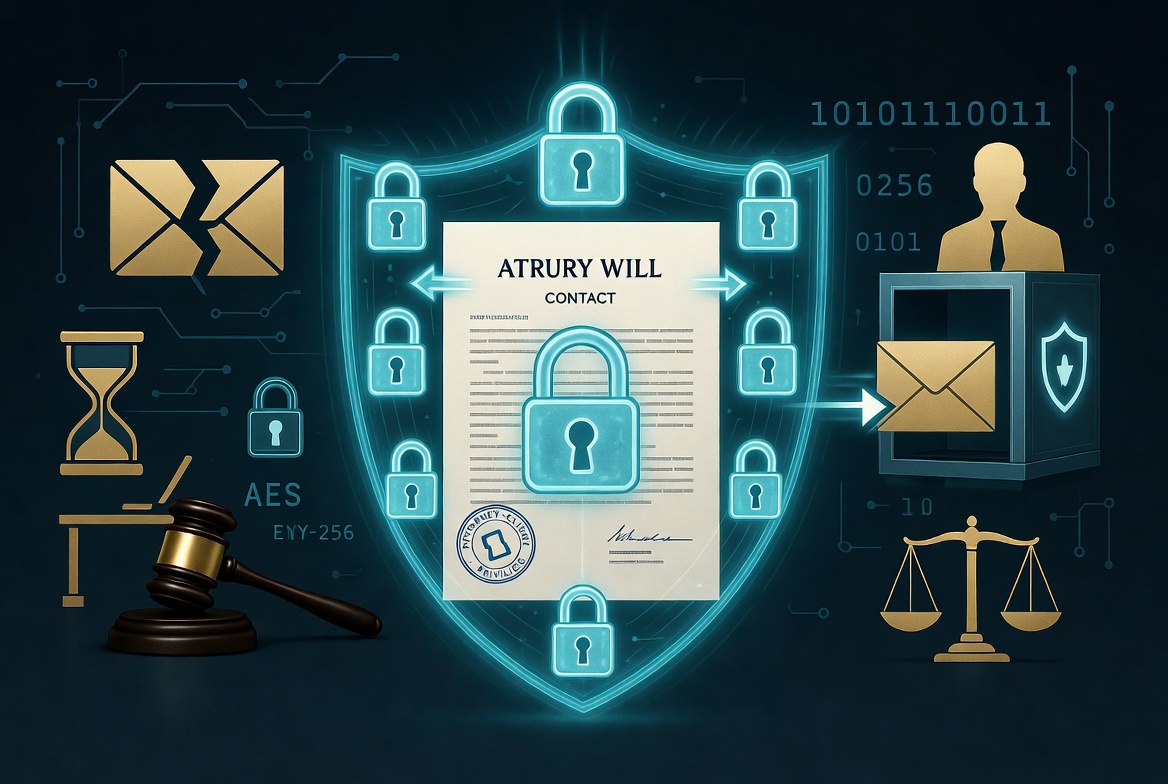
Your Attorney-Client Privilege Is Only as Strong as Your File Transfer Method
Attorney-client privilege is one of the oldest and most sacred protections in law. But here's the uncomfortable truth: most people share their most sensitive legal documents over email, a technology designed in the 1970s with essentially no built-in security.
Wills, financial disclosures, tax returns, medical records, business agreements, estate plans, they're all routinely sent as unencrypted email attachments, sitting in plain text on servers that neither you nor your attorney control.
According to the American Bar Association's 2023 TechReport, 17% of law firms reported a security breach at some point, and email was the most common attack vector. When sensitive documents get intercepted, attorney-client privilege doesn't protect you, the privilege assumes confidentiality, and a breach destroys that assumption.
Let's look at what's actually safe and what isn't.
Why Email Is a Problem?
When you attach a PDF to an email and hit send, here's what actually happens:
- Your email client sends the message to your email provider's server (Gmail, Outlook, etc.)
- The server routes it through the internet to your attorney's email provider
- It's stored on your attorney's email server
- Your attorney downloads it
At every step, your document exists in plain text on servers you don't control. Specifically:
- Your email provider can read it (and may scan it for advertising purposes)
- Your attorney's email provider can read it
- Anyone who compromises either email account can read it
- Any intermediary server the email passes through could theoretically intercept it
- The email exists forever in both sent and received folders, backups, and archives
TLS Isn't Enough
You might think: "But Gmail uses encryption!" Gmail and most modern email providers use TLS (Transport Layer Security), which encrypts the connection between servers. But:
- TLS only protects data in transit, not at rest
- Both email providers still have access to the unencrypted content
- If either end doesn't support TLS, the email falls back to unencrypted
- TLS doesn't protect against compromised accounts, which is the most common attack
Common Methods Ranked by Security
1. Regular Email (Attachments), Poor
- Security: Minimal. Content readable by email providers and anyone who compromises accounts.
- Convenience: Very high, everyone knows how to use email.
- Verdict: Acceptable for non-sensitive communications. Not suitable for financial records, medical documents, or anything you'd be uncomfortable seeing published.
2. Encrypted Email (S/MIME or PGP), Good but Impractical
- Security: Strong encryption when properly configured.
- Convenience: Very low. Both parties need certificates/keys. Setup is complex. Most attorneys won't support it.
- Verdict: Technically secure, practically unusable for most attorney-client relationships.
3. Secure Client Portals, Good
- Security: Most reputable firms use portals with server-side encryption and access controls.
- Convenience: Moderate, you need to create an account and navigate an unfamiliar interface.
- Verdict: A solid option when your attorney offers one. But: the law firm still has access to your unencrypted documents on their servers. In a firm breach, your documents are exposed.
4. Cloud Storage (Google Drive, Dropbox, OneDrive), Moderate
- Security: Server-side encryption and access controls, but these are general-purpose platforms where your files sit alongside everything else in your digital life.
- Convenience: High, most people already use these services.
- Verdict: Better than email. But sharing is loose, a forwarded link can travel anywhere, and there's no way to control when documents reach someone, only who has a link right now. For truly sensitive documents, this isn't enough.
5. Encrypted Storage with Controlled, Automatic Delivery, Best
- Security: Files and their metadata encrypted at rest with AES-256, keys held in a dedicated encryption vault, TLS in transit. A database breach alone exposes nothing but ciphertext.
- Convenience: Moderate, requires using a specialized platform.
- Verdict: The strongest option isn't a single encryption buzzword, it's the combination of encryption at rest, explicit sharing you can revoke, and automatic delivery to the right people at the right time. That's the gold standard for sensitive legal documents.
What Actually Protects Your Documents?
With email and loose sharing links:
You → Send document → Copies accumulate in inboxes, archives, and backups → Anyone with the link or the account can read it, forever
With dedicated encrypted storage:
You → Upload over TLS → Encrypted with AES-256 the moment it's stored → Keys held in a dedicated encryption vault → Access only through explicit, revocable sharing
The critical difference: your document lives in exactly one place, encrypted at rest, and only the people you've explicitly named can get to it. If the database is breached, the attacker gets ciphertext, not your will, not your tax returns. And because sharing is explicit rather than link-based, your documents are never one careless forward away from the wrong inbox.
One thing we won't claim: that no one at the storage provider could ever access your data. Killswitch holds the encryption keys server-side, that's what makes password recovery, search, and previews work. We used to run a encrypted architecture and moved away from it deliberately; the full reasoning is in why we left encrypted.
Best Practices for Sharing Legal Documents
For Routine Legal Communications
- Use your attorney's secure client portal if available
- Use encrypted email if both parties support it
- At minimum, password-protect PDFs and share the password through a separate channel (text, phone call)
For Highly Sensitive Documents
These include: wills, trust documents, financial disclosures, tax returns, medical records, business sale documents, divorce proceedings, and anything involving privileged information.
Recommended approach:
- Use a platform that encrypts everything at rest, content and metadata both, the moment it's stored
- Store the documents in a secure vault that only you and your authorized recipients can access
- Share access through the platform's secure sharing mechanism, not by emailing the files
- Use separate channels for any access credentials
Using Killswitch for Attorney-Client Documents
Killswitch is designed for exactly this scenario:
- Upload your documents, they're protected by TLS in transit and encrypted with AES-256 the moment they're stored
- Everything encrypted at rest, content and metadata alike, in a dedicated encryption vault, so a database breach alone exposes nothing but ciphertext
- Beneficiary delivery, designate your attorney as a beneficiary to receive specific documents
- Deadman switch, in estate planning, your documents automatically deliver to your attorney if you stop checking in
For estate planning specifically, the combination of encryption at rest and automatic deadman switch delivery solves the two biggest problems:
- Security: Your estate documents are protected by the same encryption standard used by the U.S. government (AES-256)
- Accessibility: Your attorney receives the documents automatically when they're needed, no hunting through email archives or filing cabinets
What to Ask Your Attorney?
Not all law firms have caught up with modern security practices. Here are questions to ask:
- "How do you handle sensitive documents I send you?", You want to hear about encrypted storage, not "we keep it in our email."
- "Do you have a secure client portal?", Many firms do, but not all clients know to use them.
- "What happens to my documents after our engagement ends?", Retention policies matter. Ask when files are deleted and how.
- "Have you had a security breach?", Firms aren't always forthcoming, but asking signals that you take security seriously.
- "Can I share documents through an encrypted platform instead of email?", If you use Killswitch, you can designate your attorney as a beneficiary for specific documents.
The ABA's Position on Cybersecurity
The American Bar Association has made it increasingly clear that attorneys have an ethical obligation to protect client data:
- ABA Model Rule 1.6(c): "A lawyer shall make reasonable efforts to prevent the inadvertent or unauthorized disclosure of, or unauthorized access to, information relating to the representation of a client."
- ABA Formal Opinion 477R (2017): Attorneys must take "special security precautions" for highly sensitive information transmitted electronically.
- ABA 2023 TechReport: Only 44% of firms encrypt files at rest, and only 40% use encrypted email.
In other words: the ABA says attorneys should protect your data, but more than half of them aren't using encryption at rest.
Action Steps
- Stop emailing sensitive legal documents as unencrypted attachments. Today.
- Ask your attorney about their security practices and available alternatives.
- For estate planning documents, use encrypted storage with automatic delivery.
- Use Killswitch to store your legal documents encrypted at rest and set up automatic delivery to your attorney or family members.
- Keep a backup, store copies in your vault AND inform your executor that the documents exist.
Related Reading
- Background: what a dead man's switch is and how it works
- Our old encryption model: what AES-256 encryption at rest is, and why we left it
- Why "just email it" is the wrong default: your email account is the master key to your digital life
Your legal documents deserve the same protection your attorney promises. Killswitch stores your documents encrypted at rest and in transit, and delivers them automatically to the people you choose. Secure your documents →
FAQ
What should I know about Your Attorney-Client Privilege Is Only as Strong as Your File Transfer Method?
Attorney-client privilege is one of the oldest and most sacred protections in law. But here's the uncomfortable truth: most people share their most sensitive legal documents over email, a technology designed in the 1970s with essentially no built-in security.
Why Email Is a Problem?
When you attach a PDF to an email and hit send, here's what actually happens:.
What Actually Protects Your Documents?
With email and loose sharing links:.
What to Ask Your Attorney?
Not all law firms have caught up with modern security practices. Here are questions to ask:.
What is the ABA's Position on Cybersecurity?
The American Bar Association has made it increasingly clear that attorneys have an ethical obligation to protect client data:.
What should I know about Action Steps?
Stop emailing sensitive legal documents as unencrypted attachments. Today. Ask your attorney about their security practices and available alternatives.