Estate Planning for Engineers: A System Design Approach to Digital Inheritance
If you've ever designed a distributed system, you already know how to do digital estate planning. The vocabulary is the same, single point of failure, failover, RTO, audit log, and the question is the same: what happens to a critical node when it goes down? You just haven't applied the framework to yourself yet.
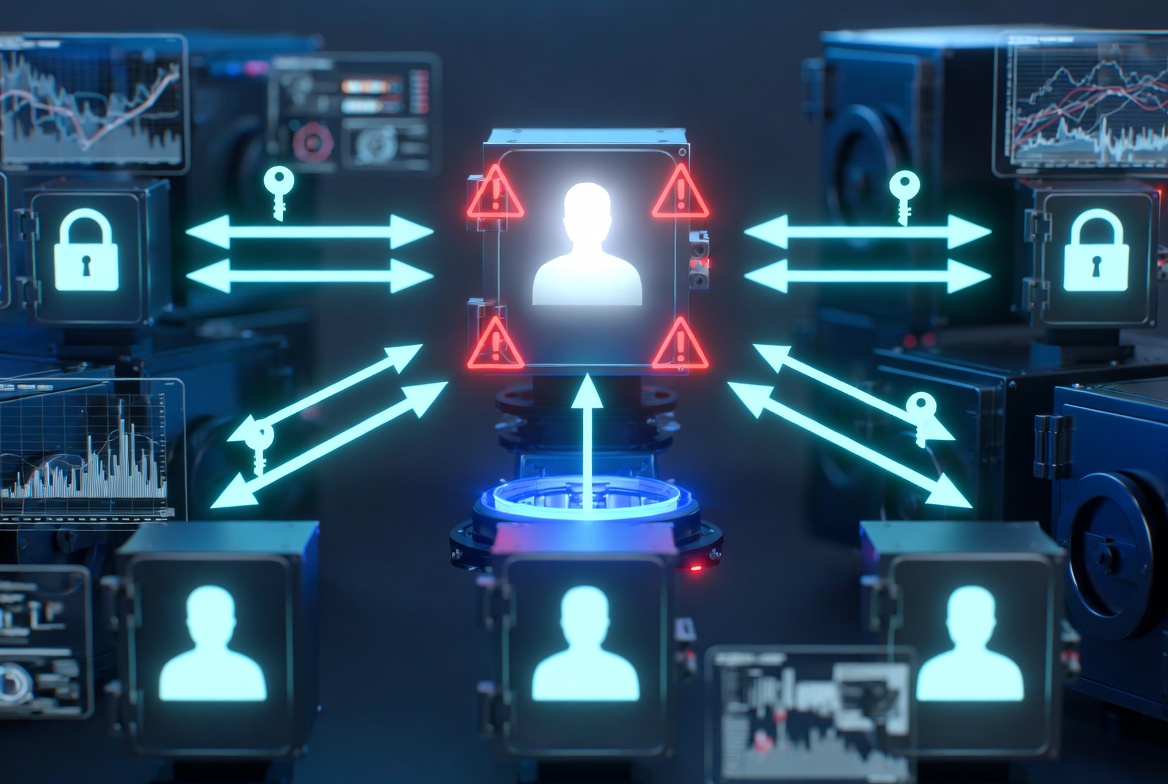
Designing for the One Failure Mode You Can't Test in Staging
If you've ever designed a distributed system, you already know how to do digital estate planning. You just haven't applied the framework to yourself yet.
The problem is the same one you solve at work, with the same vocabulary. What happens when a critical node in the system goes down? Who is the failover? What's the RTO? What's the RPO? Who gets paged? What happens if the on-call doesn't acknowledge? The "system" is your digital life. The "critical node" is you. And the unique constraint is that you cannot, by definition, test the failover yourself.
Most estate planning advice is written for people who don't think this way. It speaks in lawyer-vocabulary about wills and probate and beneficiaries. Useful for some audiences, painful for ours. Engineers tend to bounce off it because the framing doesn't match how they think about the problem.
This post is the engineer-shaped version. The same problem, expressed in the language of system design.
Reframe: You Are the Single Point of Failure
Here's the thing nobody says out loud. Most engineers, especially senior ones, have inadvertently built their personal infrastructure to depend critically on a single human being. Themselves.
The credentials that unlock everything live in their password manager, behind a master password that exists only in their head. The 2FA codes are on a phone with a passcode they've never told anyone. The hardware wallet PIN, the yubikey backup, the GPG passphrase, the SSH keys for production servers, the recovery codes for every important account, all encoded in one mind, one body, one finite life.
This is precisely the architecture you'd flag in a code review. "What happens if this service goes down?" "There's only one." "Why?" "Because it's me."
The fix isn't to give all your secrets to your spouse today. It's to apply the same patterns you'd apply at work: replication with consistency guarantees, automatic failover, monitoring with alerting, and documented runbooks.
The Four Constraints
Before designing, name the constraints. For digital estate planning, they're:
- Liveness: While you're alive, only you can access sensitive credentials.
- Eventual delivery: When you stop being available, for any reason, designated parties get the credentials they need.
- Tamper-evident: Anyone tampering with the system should leave a trail. No silent takeovers.
- Recovery-resistant: No support agent, no friendly customer service rep, no clever attacker should be able to bypass the system by pretending to be you.
These are not unreasonable constraints. You'd accept all four for any internal service handling secrets at your company. Here you accept them for yourself.
Threat Modeling Yourself
The threat actors are not the ones marketing material warns you about. They are:
The Wrong Beneficiary. A family member who has access they shouldn't, decides to use it for something you wouldn't have wanted, and there's no audit trail. This is the most common real-world failure mode of unstructured estate planning. (See: every probate dispute in human history, but applied to crypto wallets.)
The Helpful Support Agent. Someone calls customer service, says "my husband died, I need access," provides convincing-sounding details from public obituary information, and the support agent, wanting to be helpful, grants access without rigorous verification. This is documented; it has been used to drain accounts within days of death.
The Lapsed Subscription. Your deadman-switch service goes out of business. Or your password manager. Or the legal-document storage service you used in 2019 that you've since forgotten about. The whole architecture works only as long as the platforms underneath it remain solvent.
Yourself, Forgetful. You set things up correctly five years ago. Since then, your password has changed, two beneficiaries have moved, one has died, and three of your most important accounts didn't exist when you wrote the plan. The plan is wrong now and you don't know it.
The Coordinated Insider. Multiple people working together, perhaps named beneficiaries, collude. This is rare, but the literature shows it does happen, particularly around contested estates. Single-key architectures don't protect against it.
The defenses for each look different. A well-designed system should explicitly address them.
The Architecture
Here's a sketch of what a robust digital estate plan looks like, using vocabulary you already know.
1. Source of Truth: The Vault
A single vault, encrypted at rest, containing:
- Account inventory (names, URLs, login emails, not passwords)
- Pointer to the password manager (which holds the actual passwords)
- 2FA recovery codes for critical accounts
- Hardware wallet seed phrases
- SSH/GPG key locations and passphrases
- Estate-relevant context: legal documents, insurance policies, business continuity instructions
- Beneficiary instructions (what to do with what)
What matters is that the service holding the vault, a deadman switch like Killswitch, or whatever you build yourself, has a transparent, honest security model. Killswitch encrypts content and metadata at rest with AES-256 and uses TLS in transit, with encryption keys held server-side. That means a database breach alone exposes only ciphertext, and it means password reset, search, and previews actually work, which matters more than you'd think for a system whose whole job is surviving you. It also means the service can technically access content, a trade-off made deliberately and documented openly. If your threat model demands that no service ever be able to read a particular secret, encrypt that file yourself before uploading, the two layers compose cleanly.
2. Replication: Recovery Codes
Recovery codes are your replicas. The vault has a master password (which only you know). It also has recovery codes (which only you have), stored physically in at least two locations.
Why physical? Because cloud copies of recovery codes are themselves protected by passwords, and you cannot guarantee anyone else can get to those. Paper, in two locations (e.g., a safe at home and a sealed envelope with a parent), is the simplest replicated state.
3. Failover: The Deadman Switch
The trigger condition for failover is "the user has not checked in for N days, with M reminders sent unanswered."
The configuration matters more than most people think. Too short, and ordinary travel triggers it. Too long, and your family is in limbo for months. A reasonable default for most engineers is two weeks of inactivity past the regular check-in cadence, long enough to absorb a normal vacation, short enough that something is genuinely wrong if it triggers.
The failover action delivers specific files to specific people. Not "everything to your spouse", granular: business credentials to your co-founder, banking info to your spouse, kids' medical records to a designated guardian, code-signing keys to a successor maintainer.
4. Monitoring and Alerting
Most digital estate plans have no monitoring. They're written once and assumed to work forever. This is the equivalent of "we wrote the runbook in 2019, hope it still works."
A working plan has a check-in cadence. Every check-in is an implicit "the system is still healthy." Every missed check-in is a yellow light. The deadman switch firing is a red light.
Reminder channels matter. Email alone is fragile (spam folders, password issues). Email + SMS is stronger. Email + SMS + a separate communication channel to a designated co-monitor is stronger still.
5. Audit Trail
When the failover happens, every download by every beneficiary should be logged. Who got what file, at what time, from what IP. Beneficiaries are not adversaries, but they are not above suspicion in a contested estate. Tamper-evident audit logs are cheap to add and invaluable in dispute resolution.
6. Periodic Validation
The plan must be tested. You can't simulate your own death, but you can:
- Verify your beneficiaries' contact info is current (annually).
- Confirm your recovery codes still decrypt your vault (annually).
- Update the vault content when your accounts change (quarterly nudge).
- Walk through the plan in your head: "If the trigger fired tomorrow, what would happen?"
This is a runbook. Treat it like one.
The Patterns You Already Know, Mapped
| At work | At home |
|---|---|
| Single point of failure | You |
| Failover target | Beneficiaries |
| Health check | Periodic check-in |
| Alerting | Email + SMS reminders |
| Runbook | Estate plan / vault contents |
| Audit log | Share access logs |
| Dependency on external service | Reliance on password manager / deadman switch / etc. |
| Disaster recovery | Recovery codes, multi-location storage |
| RTO (recovery time objective) | Time from your incapacitation to family's access |
| RPO (recovery point objective) | How current your stored credentials are |
| Postmortem | The conversation your family will have with your executor |
If your work systems have an RTO of 15 minutes and your personal RTO is 18 months (the average probate timeline), you have an availability gap that nobody seems to think is your problem until it is.
The Specific Engineer Failures
A few patterns I've seen repeatedly:
The Self-Hosted Trap. "I'll just self-host the vault." Sure, you can. Now your family's access depends on a server you maintain, in a colo you pay for, with backup tapes nobody knows about. When you're gone, the bill goes unpaid, the server gets reclaimed, and the encrypted vault is gone. Self-hosting is fine if it's part of a documented chain of custody. Otherwise, use something boring that will outlive you.
The Too-Clever Recovery Scheme. "I'll use Shamir's Secret Sharing across five trusted friends." Mathematically beautiful. Operationally impossible. Two of those friends will move and lose touch. One will get hit by a truck. One will lose their share. One will die before you do. Threshold cryptography works for institutions, not for individuals.
The Yearly Snapshot. "I update my vault every year." A year is a long time in a digital life. New accounts get created weekly. Passwords rotate. Two-factor methods change. A yearly cadence means the vault is, on average, six months out of date, and the vault from a year ago might be missing entire categories of accounts.
The Legacy of Github Sponsors. "My beneficiary is my spouse, who has zero context on my technical projects." She's the right beneficiary for the financial documents. She is the wrong beneficiary for the SSH keys to your production servers. Different files, different beneficiaries, different runbooks.
The Optimization Premature. "I'm going to design the perfect system before I set anything up." Six months later, you have a comprehensive design doc and zero coverage. Ship the v0 today. Iterate later. The minimum viable plan delivers more than the optimal plan that doesn't exist yet.
A V0 Engineer's Plan You Can Set Up Today
Two hours of work:
- Master vault. Sign up for a deadman-switch service that encrypts everything at rest. Store the master password and recovery codes. Print recovery codes. Put one copy in your home safe. Put one copy with a parent or sibling.
- Inventory. Write a single document: every account name and login email, your password manager's name, your phone unlock code, the location of your hardware wallet seed phrase, your SSH key locations. Upload it encrypted to the vault.
- Beneficiary structure. Add at least two beneficiaries. One handles personal/financial (spouse, parent, sibling). One handles technical (a co-founder, a co-maintainer, a technical sibling, a friend who could untangle your servers).
- Cadence. Set the check-in to once every two weeks. The reminders should hit both email and SMS.
- Calendar reminder. Set a recurring quarterly reminder to update the vault. New accounts, retired accounts, new passwords.
That's a working v0. It is materially better than what 95% of engineers have, which is nothing.
The optimal version comes later. Right now, ship the v0.
Related Reading
- Background: what a dead man's switch is and how it works
- Reference architecture: the technical deep-dive on our original deadman switch design
- The repo/package side of the plan: what happens to your GitHub, npm, and open source projects when you die
Killswitch is built for the engineer's mental model: AES-256 encryption at rest and in transit, configurable check-in cadence, granular beneficiary assignment, tamper-evident access logs. The disaster recovery layer for your personal systems. Get started today
FAQ
What should I know about Designing for the One Failure Mode You Can't Test in Staging?
If you've ever designed a distributed system, you already know how to do digital estate planning. You just haven't applied the framework to yourself yet.
What should I know about Reframe: You Are the Single Point of Failure?
Here's the thing nobody says out loud. Most engineers, especially senior ones, have inadvertently built their personal infrastructure to depend critically on a single human being.
What is the Four Constraints?
Before designing, name the constraints. For digital estate planning, they're:.
What should I know about Threat Modeling Yourself?
The threat actors are not the ones marketing material warns you about. They are:.
What is the Architecture?
Here's a sketch of what a robust digital estate plan looks like, using vocabulary you already know.
What is the Patterns You Already Know, Mapped?
| At work | At home |
|---|---|
| Single point of failure | You |
| Failover target | Beneficiaries |
| Health check | Periodic check-in |
| Alerting | Email + SMS reminders |
| Runbook | Estate plan / vault contents |
| Audit log | Share access logs |
| Dependency on external service | Reliance on password manager / deadman switch / etc. |
| Disaster recovery | Recovery codes, multi-location storage |
| RTO (recovery time objective) | Time from your incapacitation to family's access |
| RPO (recovery point objective) | How current your stored credentials are |
| Postmortem | The conversation your family will have with your executor |