Meet the Library: One Encrypted Home for Everything You Protect
Documents, notes, recordings, notebooks, and folders now live in one place: the Library. Our biggest release ever — a unified vault with a rich text editor, ⌘K search over your decrypted names, journal-style notebooks, folders that organize your deadman switch, a rebuilt dashboard, and a mobile-first redesign. Still encrypted — at rest and in transit.
 For most of Killswitch's life, your stuff lived in separate rooms. Documents over here. Notes over there. Recordings somewhere else. Notebooks in their own wing. Each one had its own page, its own list, its own way of being shared. It worked — but it made you do the filing in your head.
Not anymore. Everything you protect now lives in one place: the Library. This is the largest release we've ever shipped — a ground-up rework of how you store, write, organize, and hand off the things that matter. Here's the tour.
One place for everything
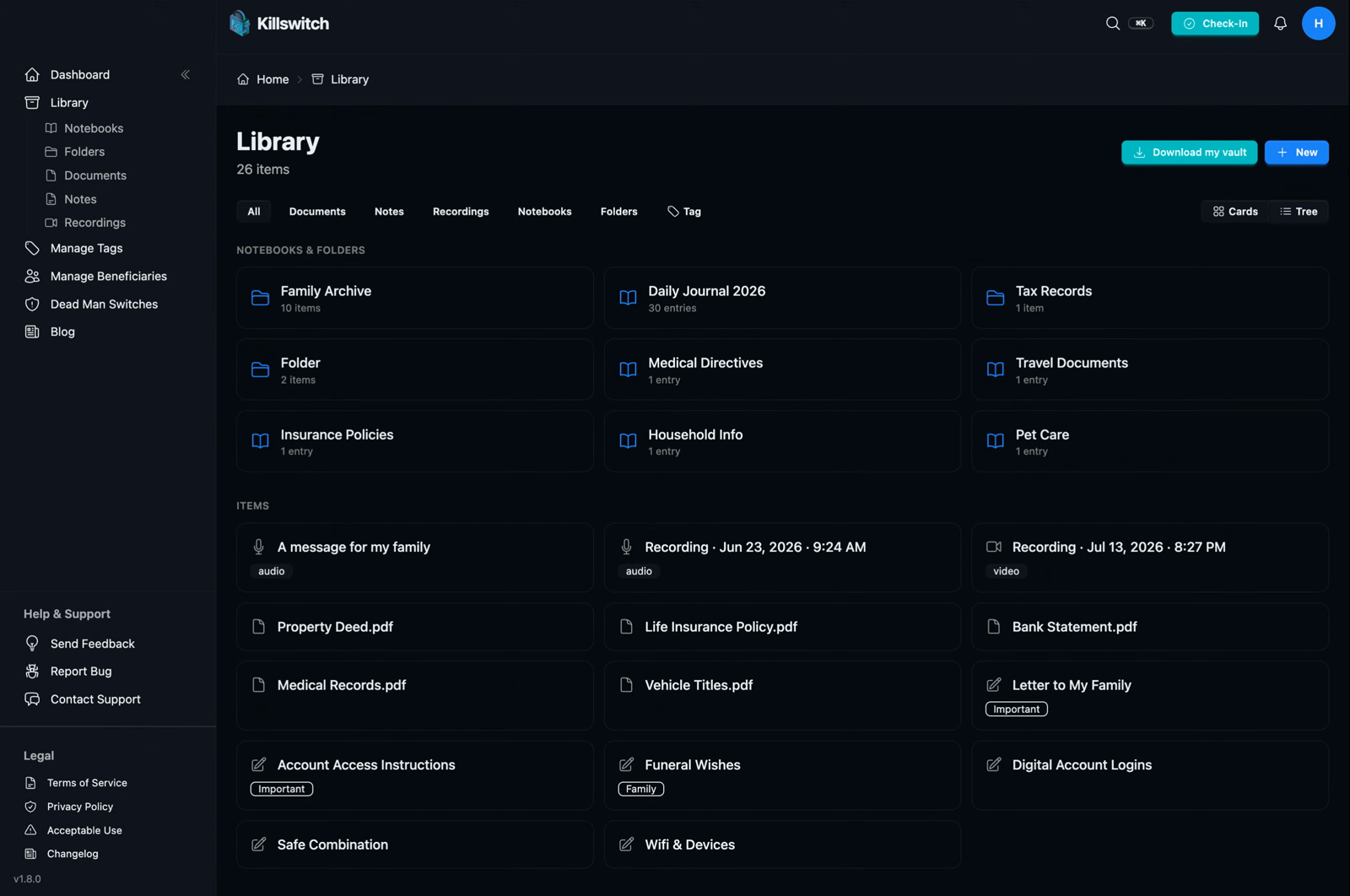
The Library is a single home for your documents, notes, recordings, notebooks, and folders. You can browse it all at once, or filter by type right from the page — or from the sidebar, which now collapses into one Library entry with quick shortcuts to each category.
- Card view for a visual scan, or tree view when you want the folder structure.
- Filter by tag, jump between types, and search across the whole thing.
- Expand items in place — notes and journal entries open right in the list, documents preview inline (PDFs included), and recordings play without ever leaving the page.
The old per-type pages are gone, and you won't miss them. One list, one search box, one mental model.
Search that reads your mind
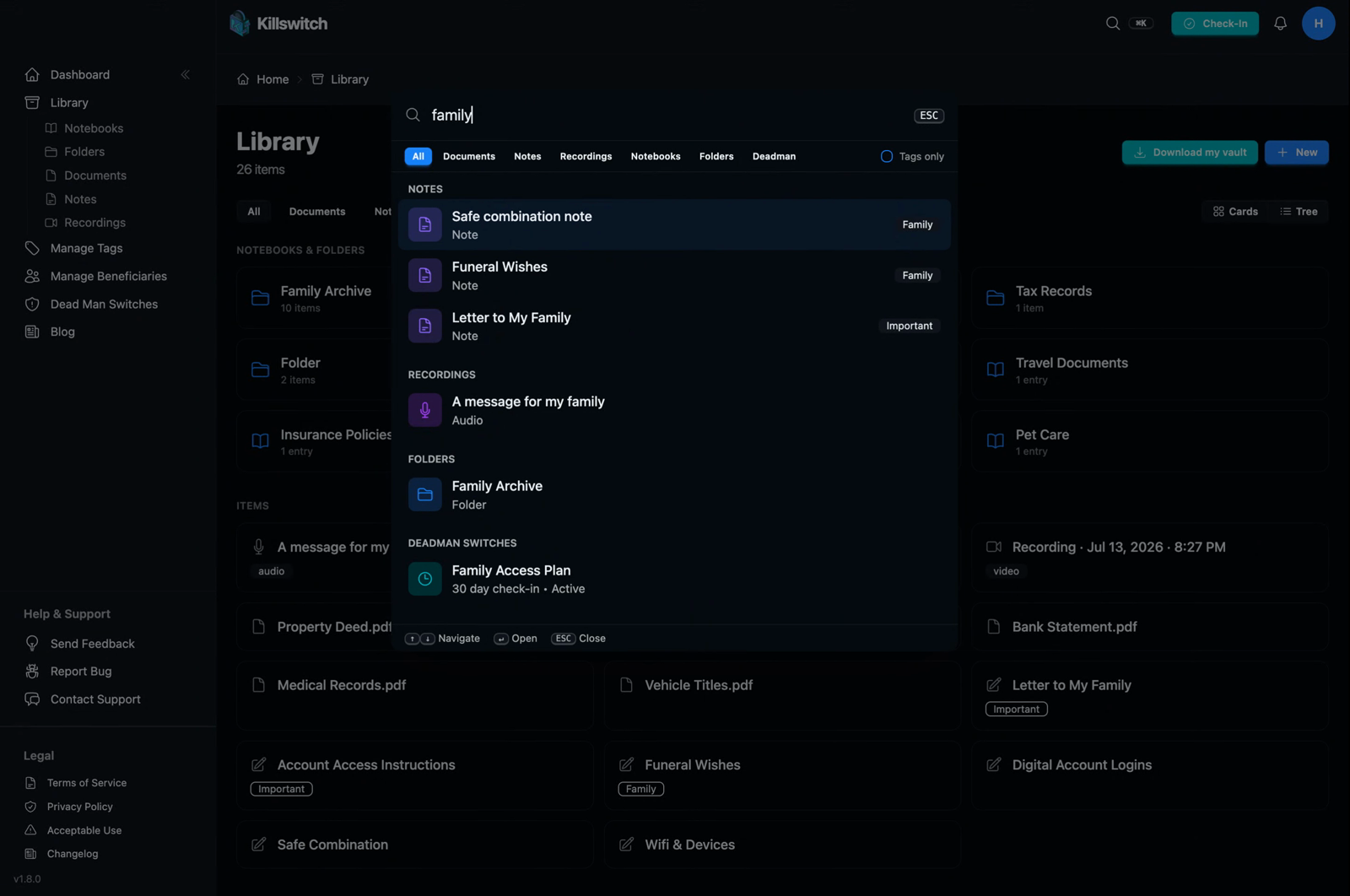
Press ⌘K (or tap the search icon) and you get a Spotlight-style search across your entire Library — documents, notes, recordings, notebooks, and folders.
It's fast, it matches the real names of your items, and it works everywhere — you type "will" and you find "Family Will," whether it's a document, a journal, or a folder.
A real writing experience
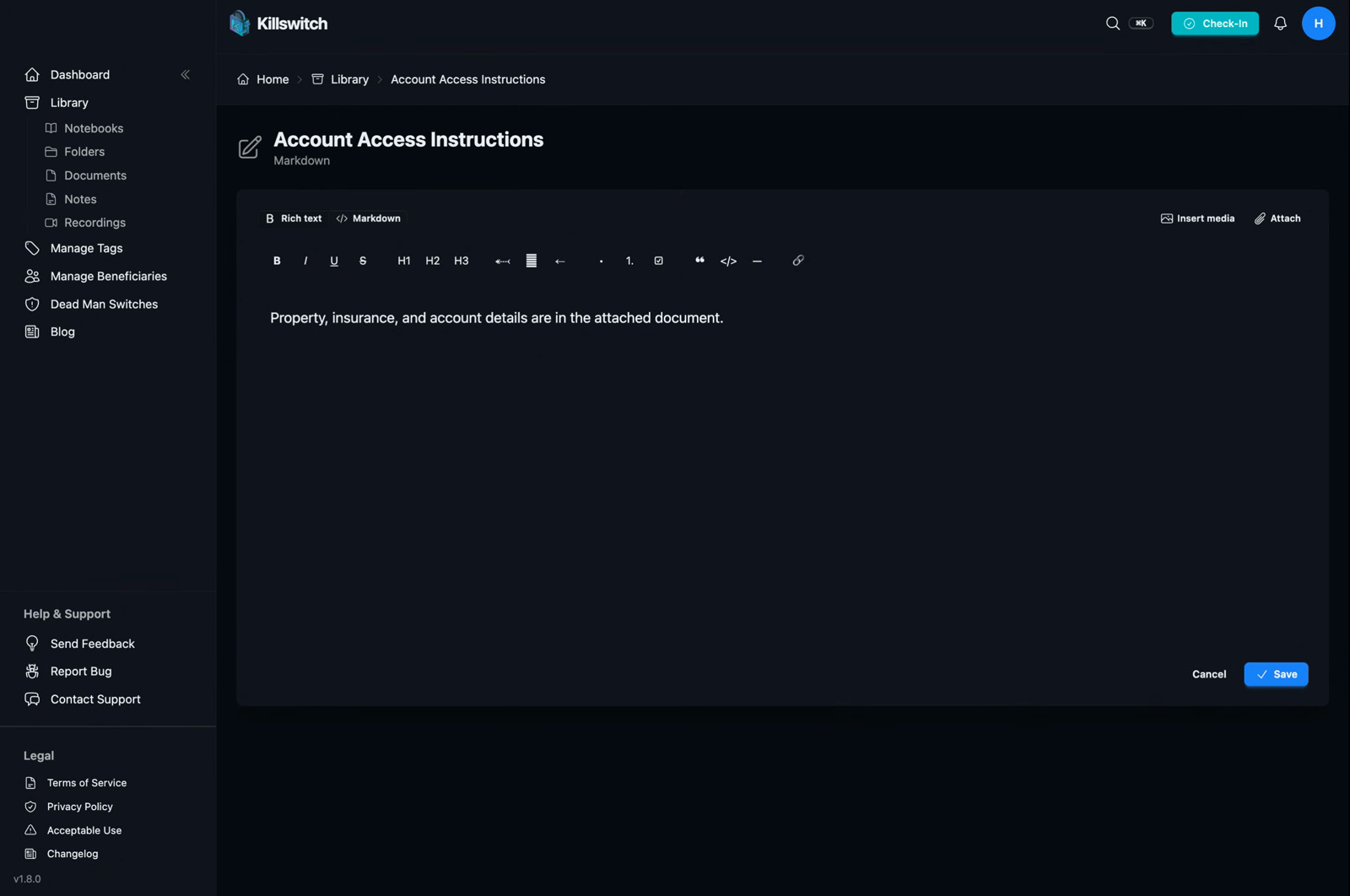
Notes and notebook entries used to be a plain text box. Now they open in a proper rich text editor — headings, bold, lists, checklists, links, the formatting you can actually see as you write — with a one-click toggle down to raw Markdown whenever you want it.
Underneath, your writing is still stored as portable, exportable Markdown, encrypted at rest — the editor is just a nicer front door to the same vault.
- Autosave as you write. Start typing and it's saved; walk away and nothing is lost.
- Open a new entry, change your mind, and leave without typing? Nothing is created. No empty "Untitled" litter.
- Insert images, video, and audio straight into an entry, or attach an existing document or recording from your Library.
Notebooks are journals now
A notebook is the story layer of your plan — the why that sits alongside the what. So we made it feel like writing a journal, not filling out a form.
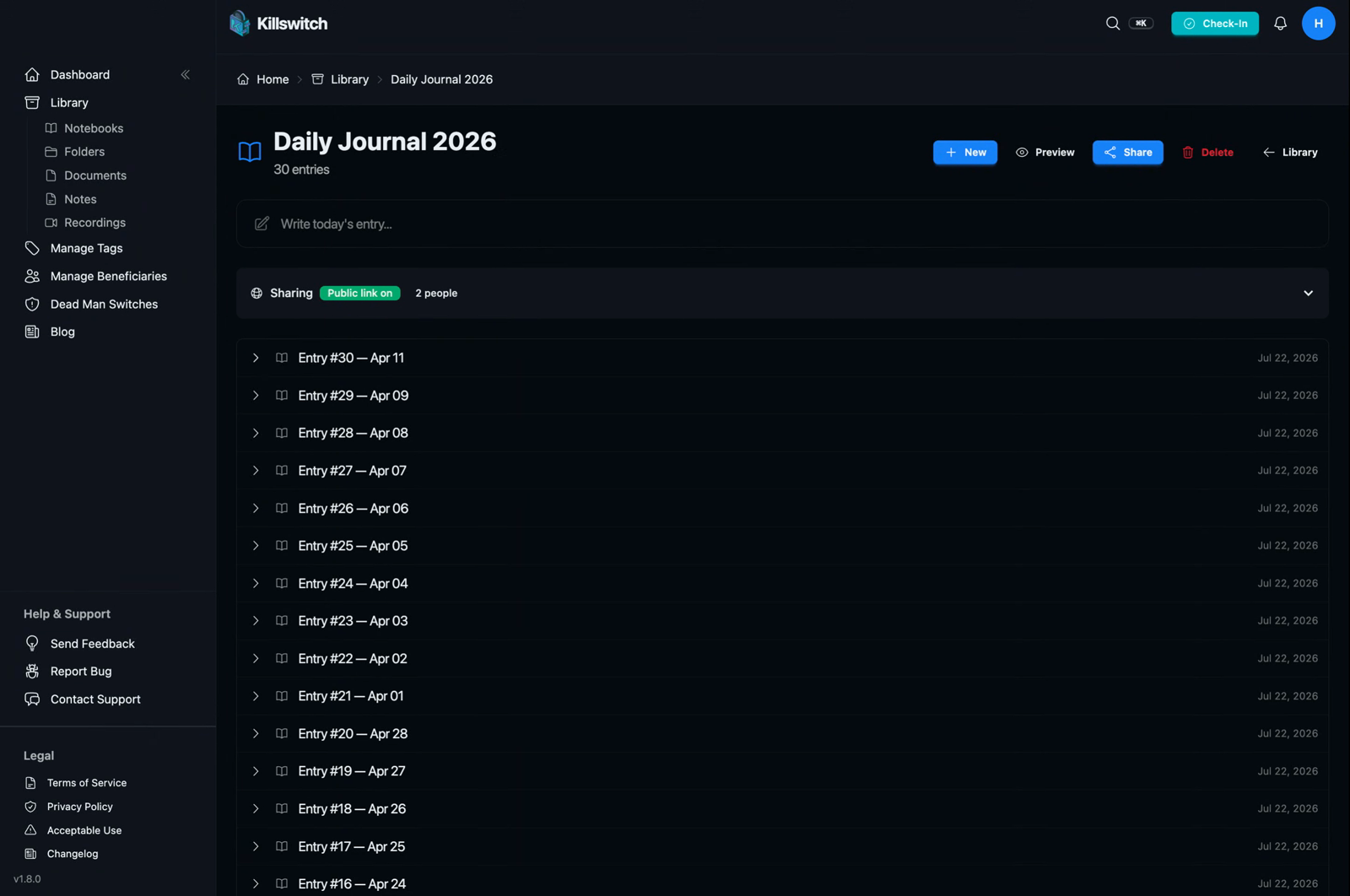
- The composer sits right at the top — start today's entry in one tap.
- Share a whole notebook with a public link: a short URL you can turn on, turn off, or regenerate anytime. Or share instantly by email — and see and revoke every share from the notebook's own page.
- Whoever you share with gets a genuinely beautiful journal view: searchable entries, inline photos, video thumbnails, and audio that's ready to play. Not a pile of files to download — a story to read.
Folders, done right
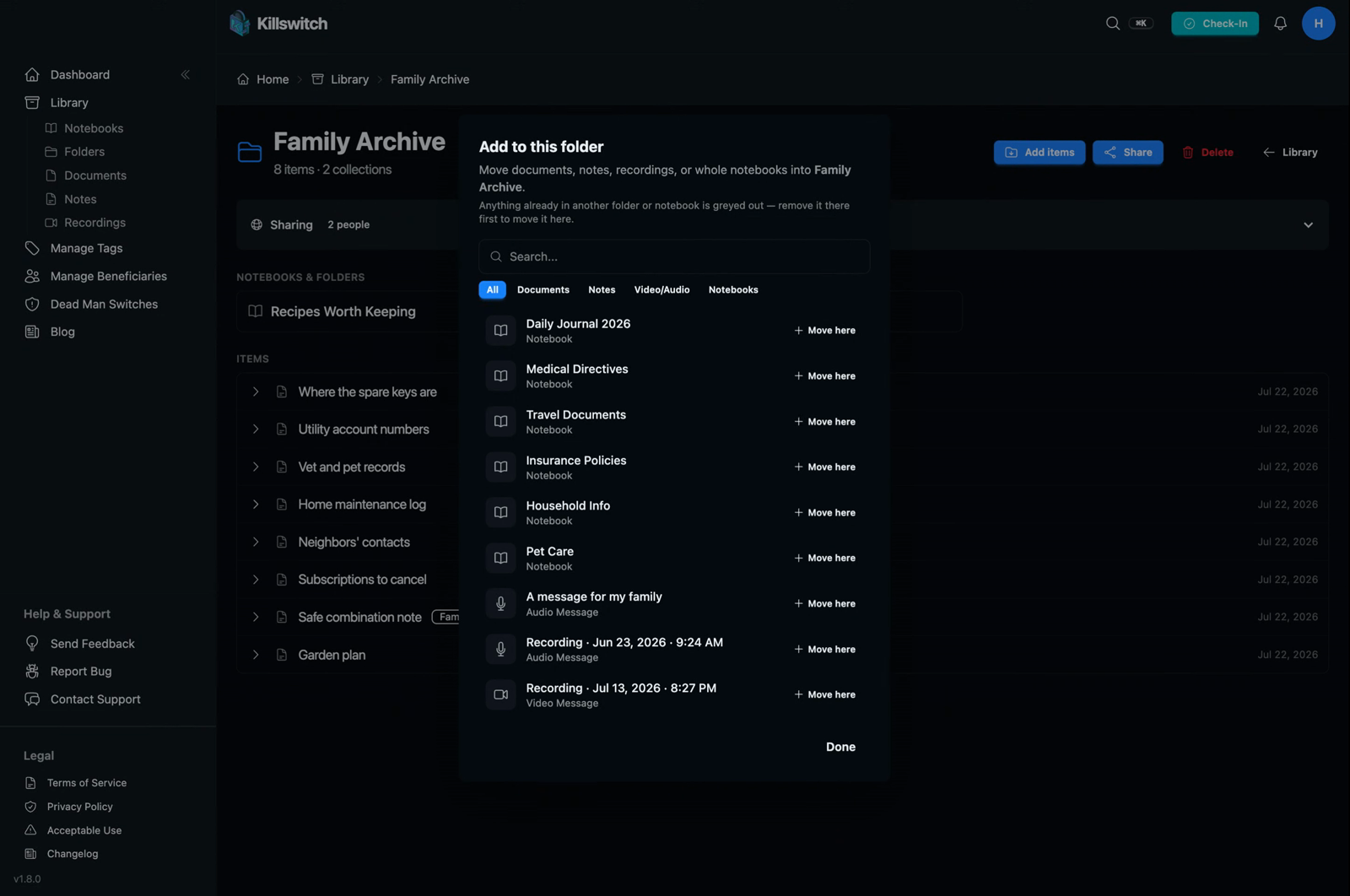
Folders are the new organizing layer, and they do exactly one job: hold things. Move documents, notes, recordings, and even whole notebooks into a folder to keep them together. No ceremony, no duplicate copies.
The payoff shows up at the moment that matters most:
- Attach one folder to a deadman switch, and everything inside it gets delivered — including nested notebooks and their entries. Organize once; hand off the whole set automatically.
- Deleting a folder never deletes what's inside it — the contents simply move back to your Library. Deleting a notebook removes it and its entries, but only after a clear, explicit confirmation.
Wired into your deadman switch
Everything above connects to the reason Killswitch exists. When you build or edit a deadman switch, the item picker now searches your whole Library with the same fast, type-filtered picker you use everywhere else. And Switch Health verifies your Library-backed shares end to end, so you know — before it ever matters — that your people will actually receive what you left them.
A lighter, faster dashboard
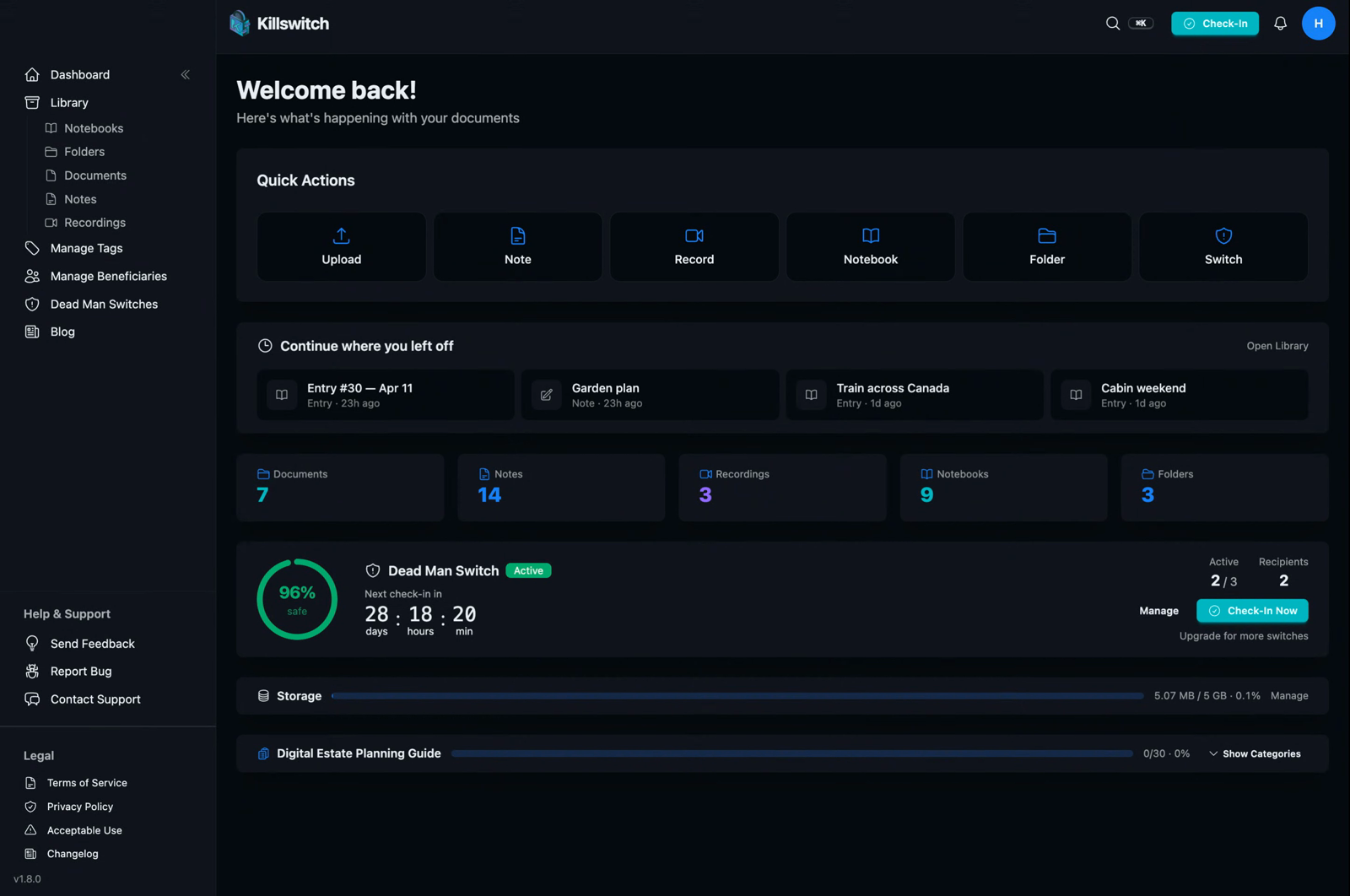
We rebuilt the dashboard around what you actually do:
- Continue where you left off — your most recently touched items, one tap from the top.
- Quick-action tiles for Upload, Note, Record, Notebook, Folder, and Switch that stay tidy at every width.
- The storage widget and planning guide slimmed into single bars (still expandable), and the deadman switch card went horizontal with Check-In front and center.
Built for the phone in your hand
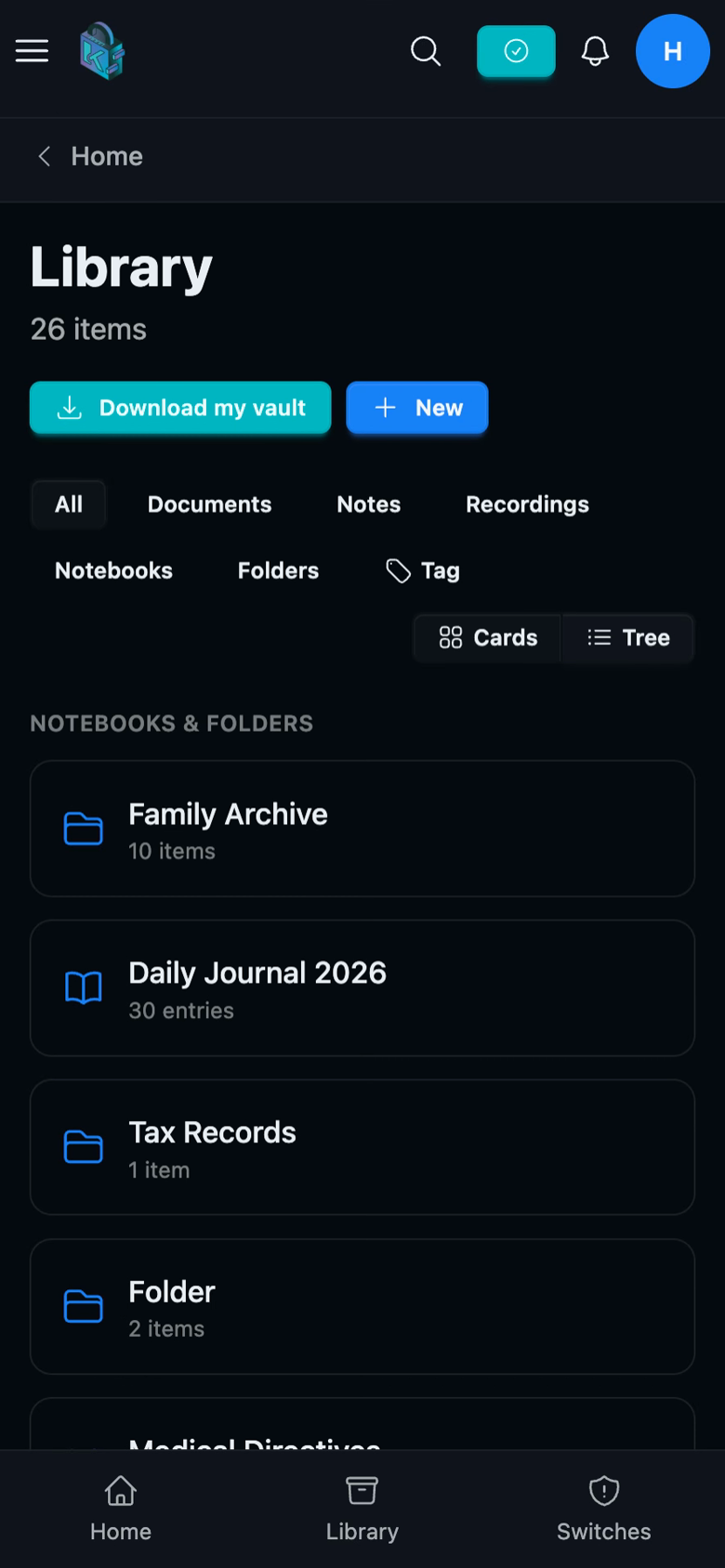
Most of you use Killswitch from your phone, so this release was built there first. Lists are readable at phone width, with actions that actually work on touch instead of hiding behind a hover you can't do. The editor is a focused, distraction-free writing view. Every core screen was checked at 375px so nothing spills off the edge.
The same promise, everywhere
None of this changes the promise underneath. Everything you store is encrypted at rest and in transit, sharing is always explicit and revocable, and nothing is ever one forgotten password away from being lost. What we rebuilt is everything around that — the writing, the browsing, the organizing, the sharing — so protecting your digital life feels less like paperwork and more like keeping a journal you'd actually want to keep.
Open the Library and take a look around. It's all in one place now.